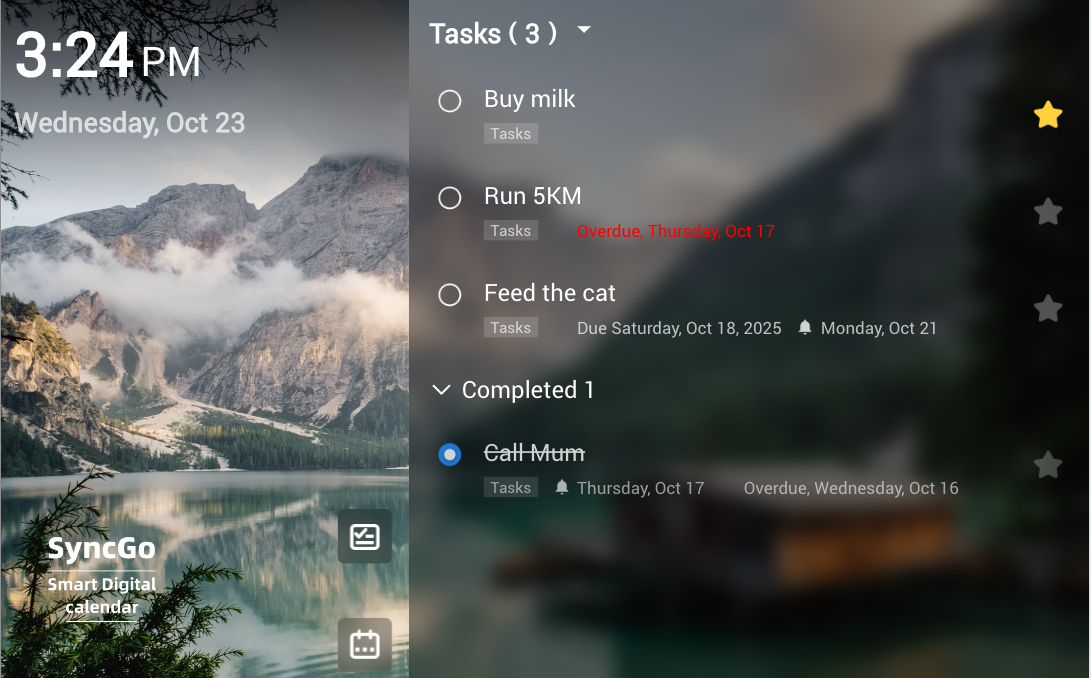
We’re happy to announce the new feature for syncing with Microsoft Tasks is available now. The latest firmware version is 2.3.1. Existing users can upgrade the firmware by Settings->Check updates to get the latest updates.
How to use it
- Make sure you are logged into Microsoft Calendar and have selected the “Frosted Glass” theme.
- On the home screen, there’s a checklist icon alongside the original calendar icon.
- Tap on the checklist icon
- Microsoft Tasks should be shown there.
As always, feel free to comment below, or contact us through our support email with any questions or feedback.
Hi, will this be available with Google tasks?
Sorry, it does not support Google tasks now. We may add this feature in the future.